
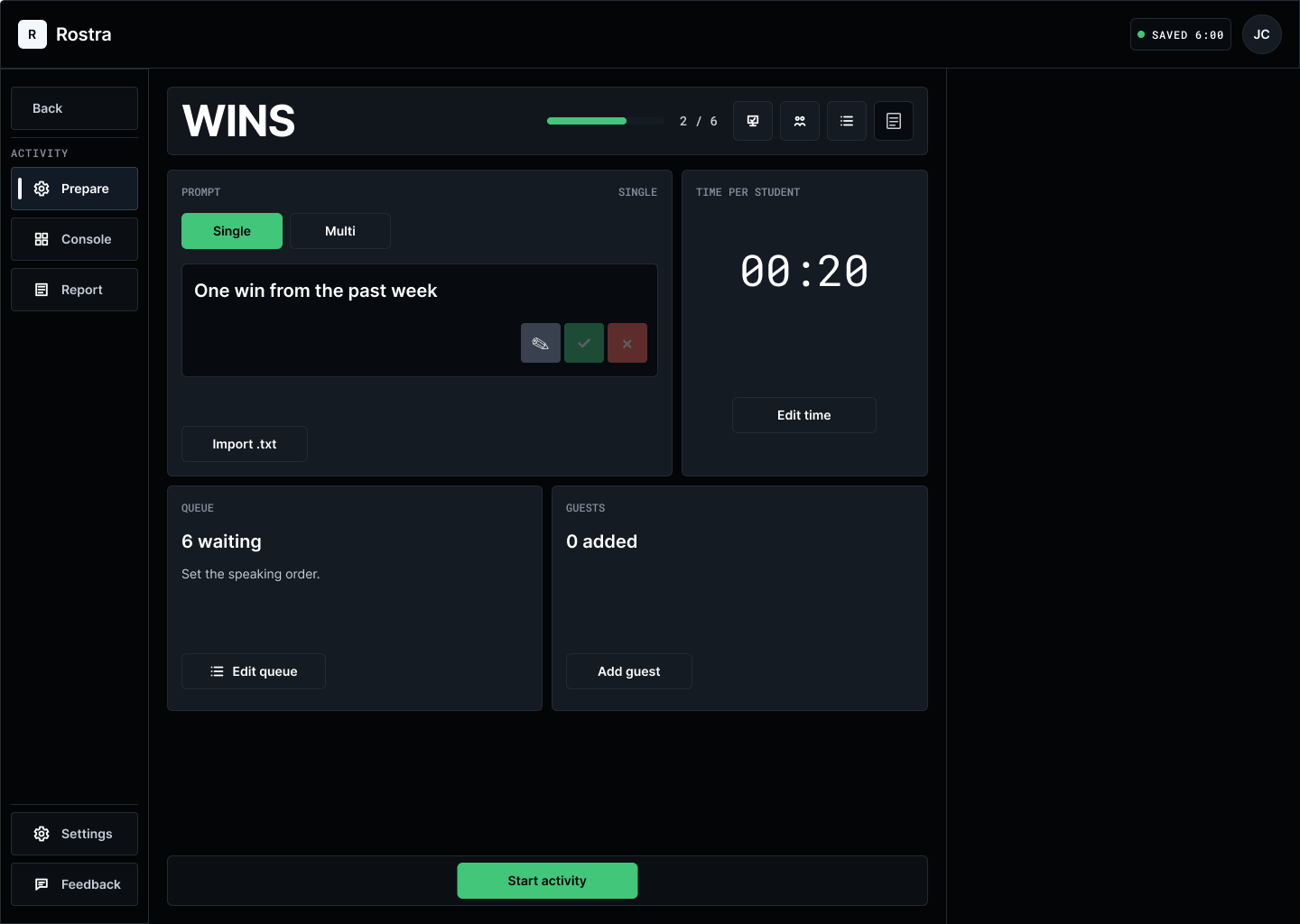
Choose an activity
Pick a ready-to-use format, then add the prompt and time that fit your lesson.
Rostra
See what your students understand while you’re teaching.
Why this matters
AI can help students draft, revise, and polish their work. That can make it harder to tell what they understand on their own. What happens in class gives you another part of the picture.
Join the beta interest listWorth noticing
A student explains an idea in their own words. Another changes course after a follow-up question. These are the moments that can disappear once class moves on.
What Rostra helps with
Rostra gives you one place to guide an activity, keep track of participation, and write down what you notice while it is still fresh.
Pick a ready-to-use format, then add the prompt and time that fit your lesson.
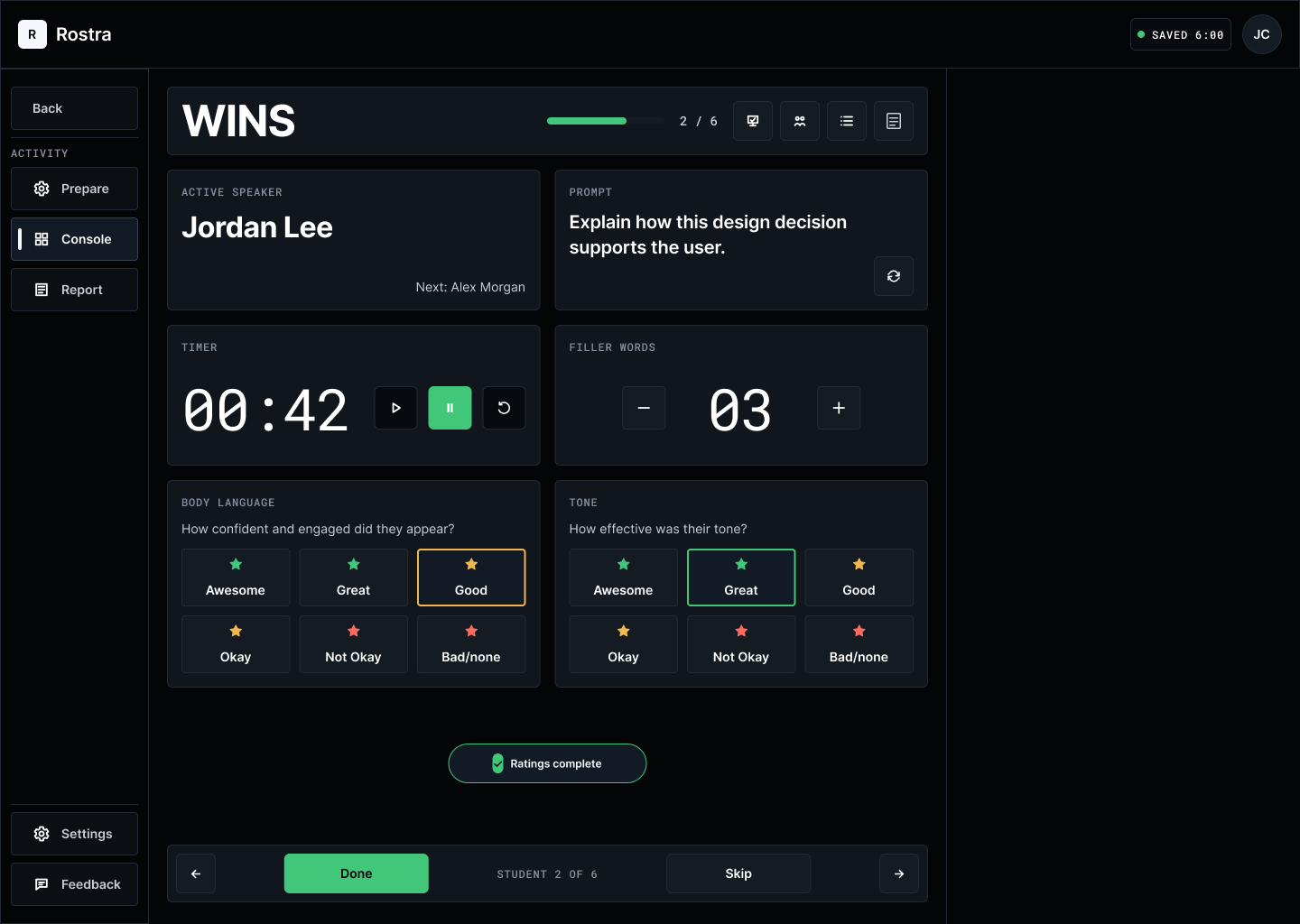
Keep student order, timing, and participation visible without losing the flow of class.
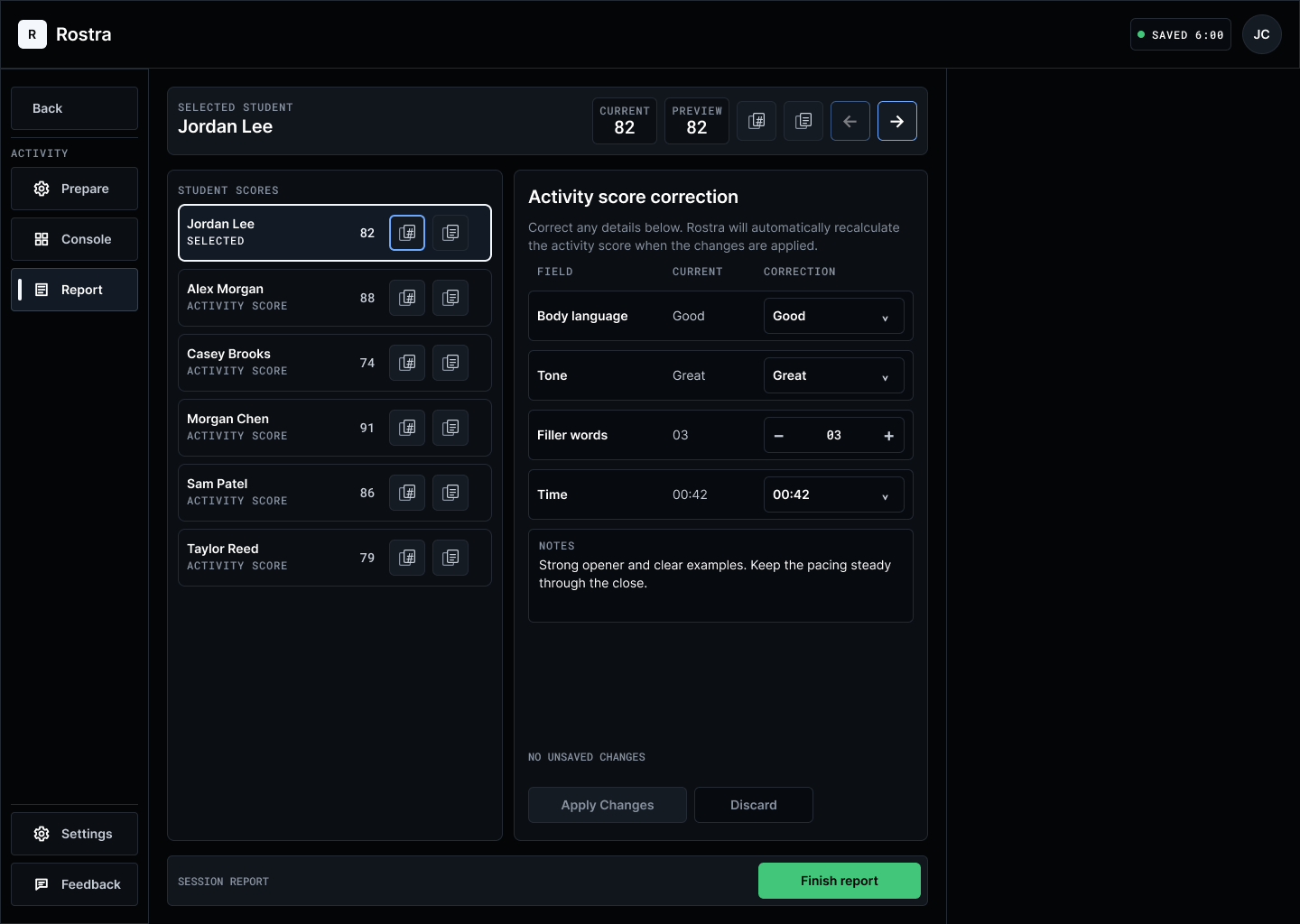
Jot down notes or scores as students respond, then review everything before it leaves Rostra.
You keep teaching. Rostra helps you remember.
What it looks like in class
The screen changes with the moment, so you only see what you need.
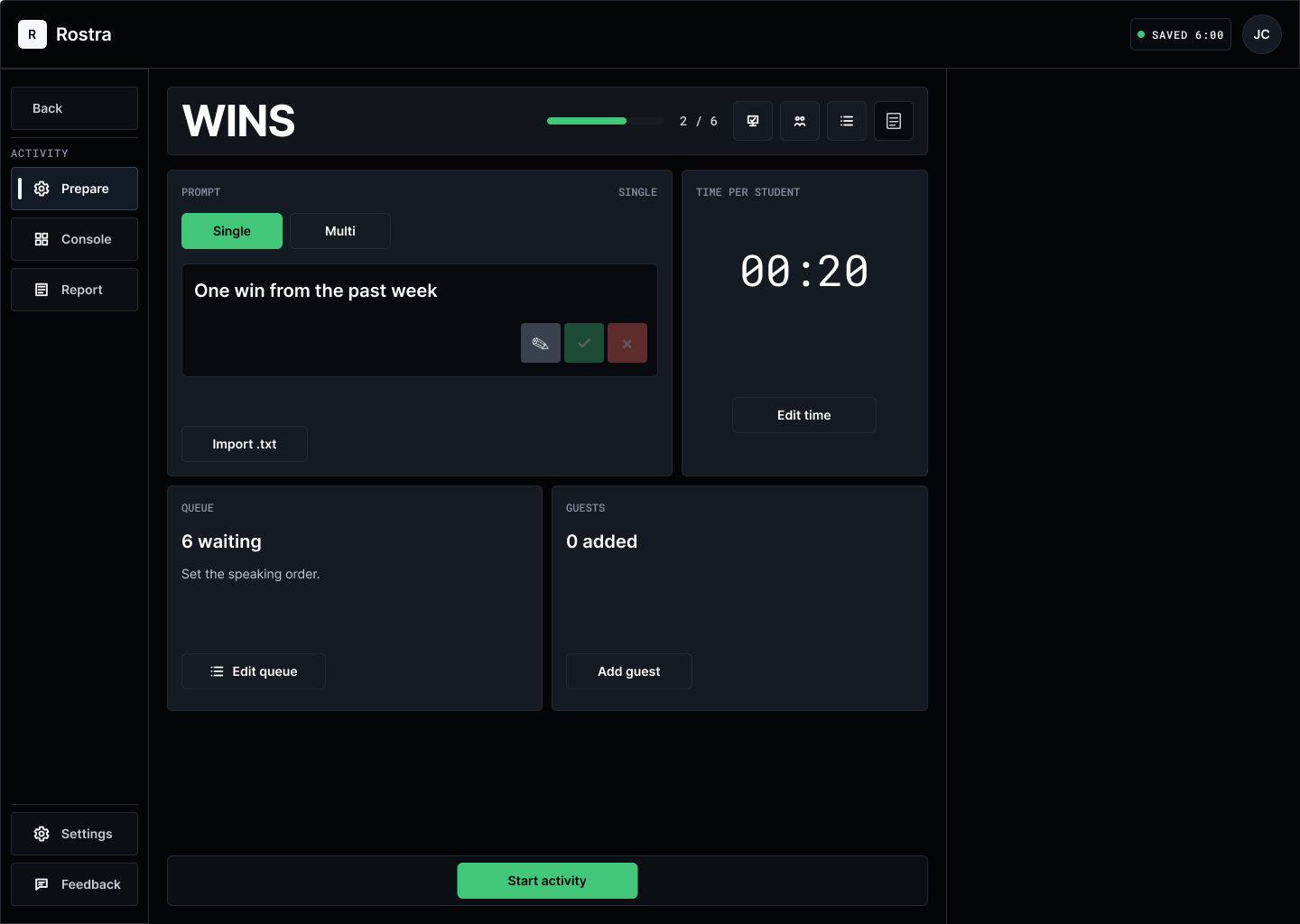
Before class
Add the prompt, time, student order, and any guests.
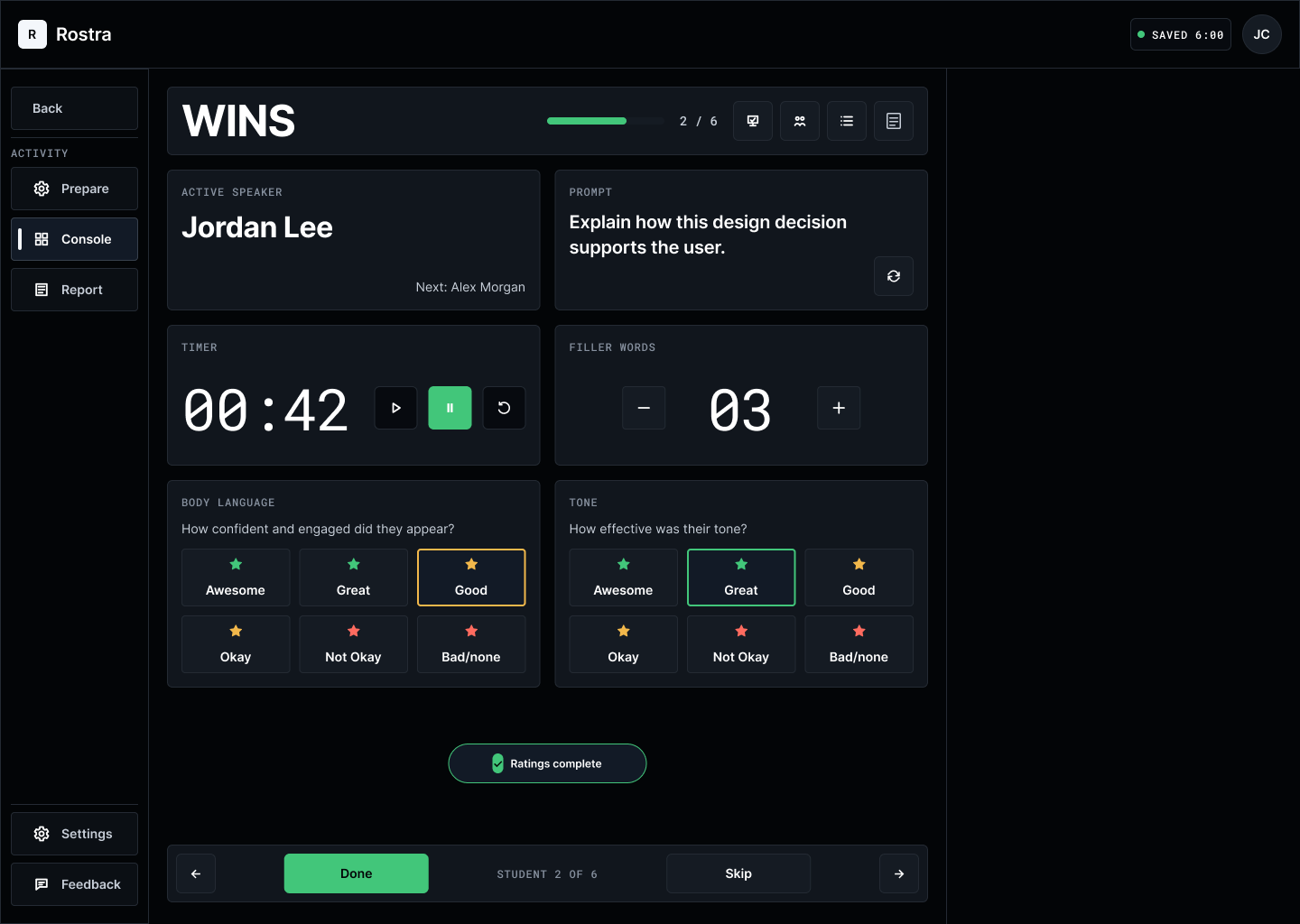
During class
See the prompt and timer, move through the student order, and jot down what you notice.
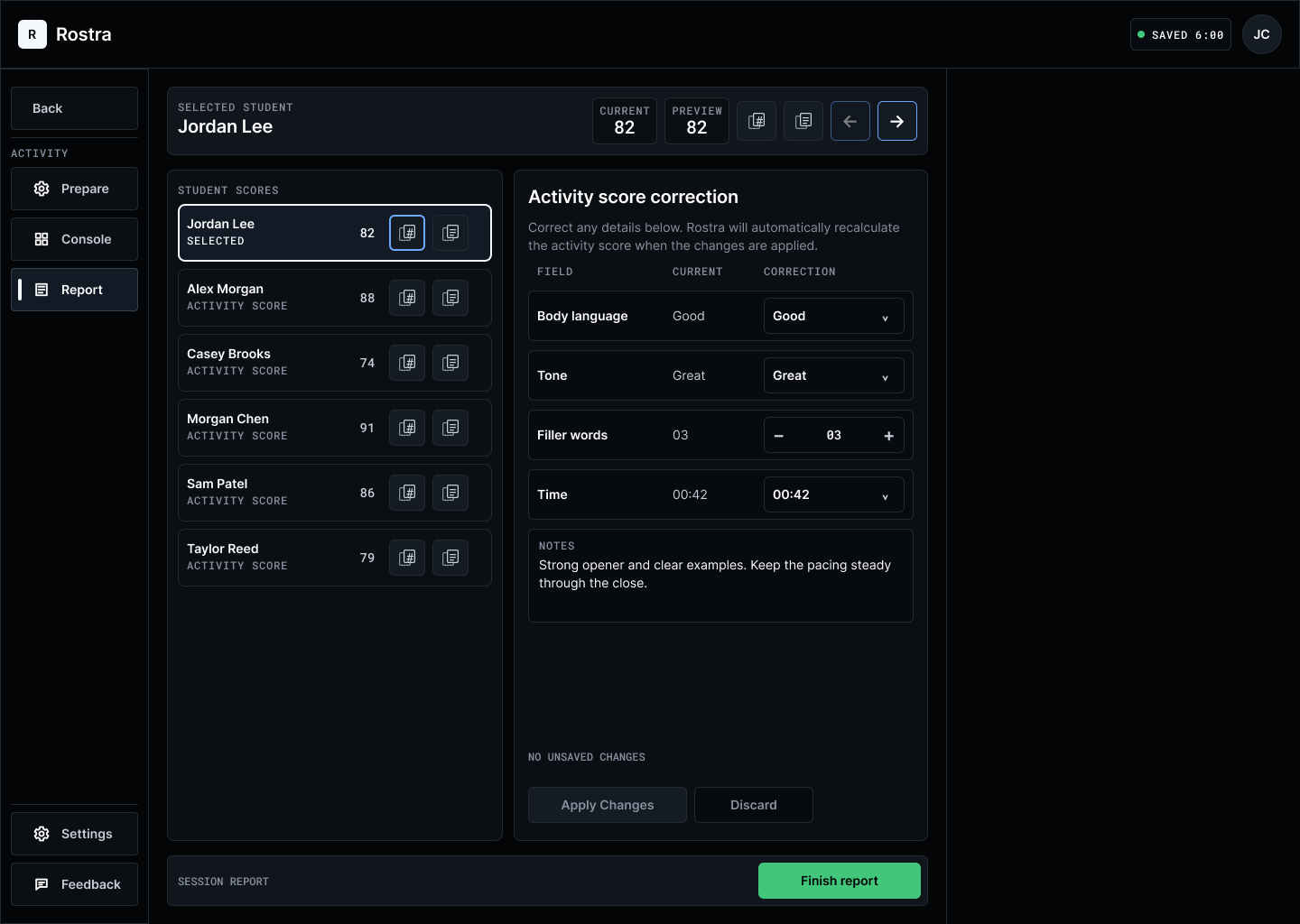
After class
Check your notes and scores. Make changes before you copy anything into your official record.
An invitation for educators
Try Rostra in a class you already teach. Tell us what works, what gets in the way, and what you need next.
You don’t need to be a tech expert. Honest feedback is the useful part.
No commitment. We’re starting small and learning alongside teachers.
A few practical questions
Select a question to open or close it.
Rostra is a live teaching control desk. It gives you one place to prepare an activity, guide the room, take notes, and review what happened afterward.
No. Your LMS or gradebook remains the official record. Rostra helps with the live part of teaching, then lets you copy reviewed notes and scores into the systems you already use.
No. Rostra does not grade students or suggest scores with AI. You choose the activity and prompt, record what you observe, and make every final decision.
Rostra is for teachers and instructors working in K–12, higher education, and other live learning settings. Some activities will fit some classrooms better than others, which is one reason we are starting with a small beta.
The beta includes four ready-to-use activities: Wins, Think Fast, Takeaways, and Spotlight. Each session focuses on one activity that you can prepare for the lesson in front of you.
We will guide you through loading a roster, choosing an activity, setting the prompt and time, and arranging the student order. Then you will try Rostra in a real class and tell us honestly what helped and what got in the way.
Rostra stores the roster and session information needed to run activities and prepare reports. Before you use it with a class, we will give you clear details about what is stored and how it is handled.